
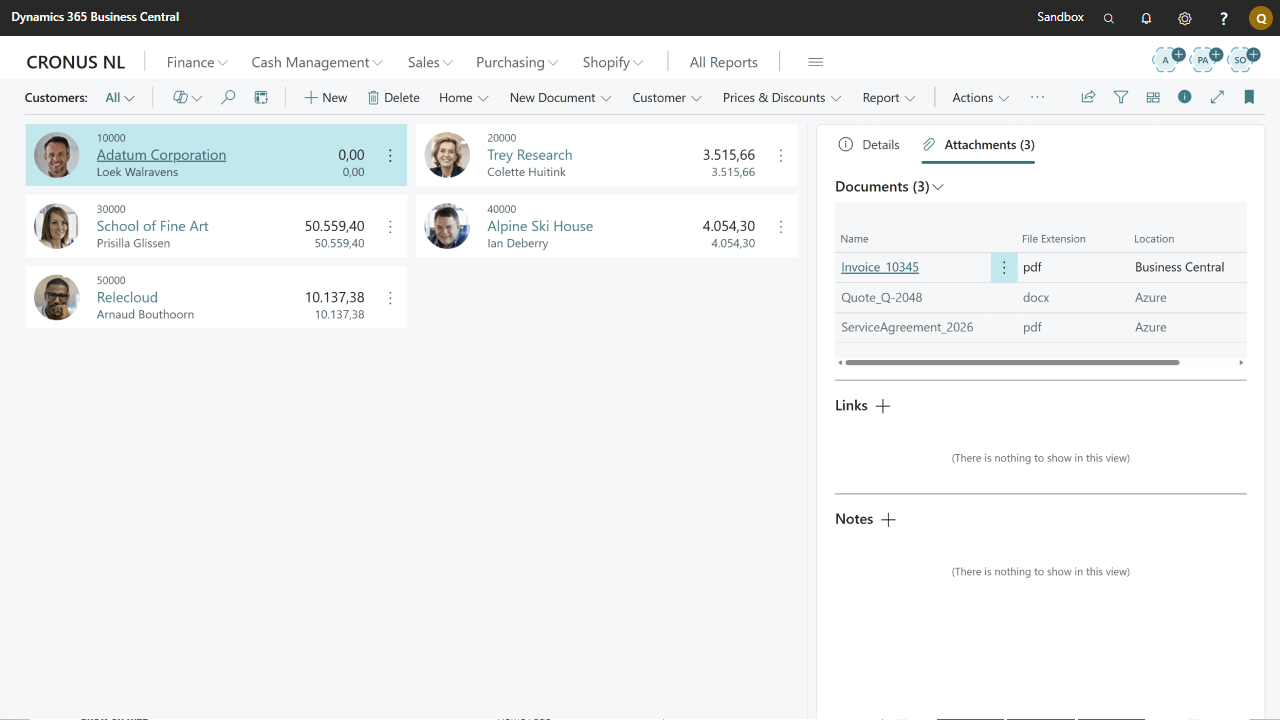
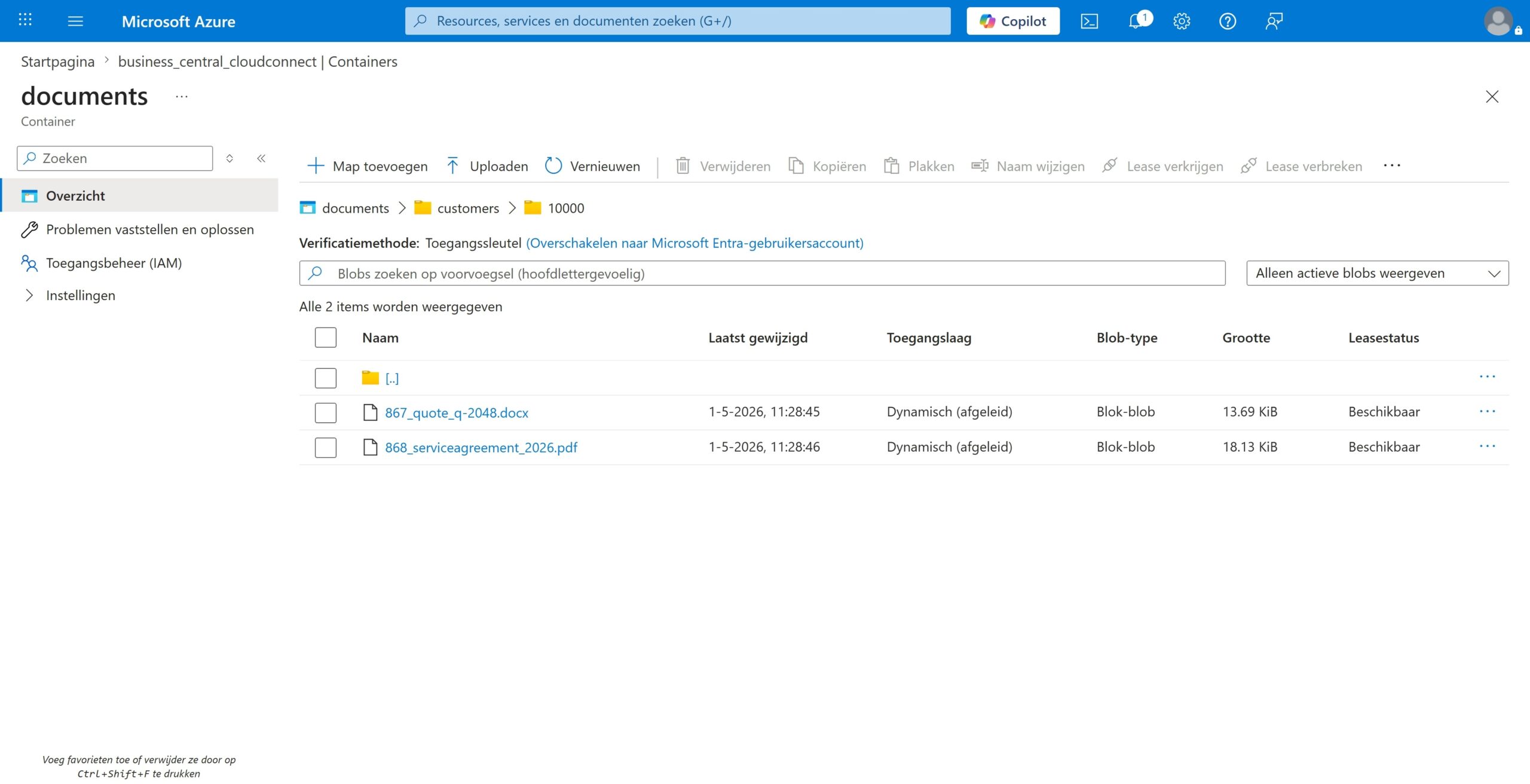
Store attachments in external cloud providers such as Azure Blob Storage, keeping your BC database lean.
Integrates seamlessly with your existing Business Central workflows without changing how users work.
Full support for Azure Blob Storage as your external document storage provider.
Upload and download attachments just as you normally would — Cloud Connect handles the rest automatically.
Reduce backup times and improve system performance by offloading document storage from your BC database.
Return all stored files from external storage whenever you need them, directly from within Business Central.


€1,95
per user/month
Best for regular users
Something not on this list? Mail info@q-team.nl and you get an answer within one business day.
| Deployment | Cloud (SaaS) |
| Cloud Storage | Azure Blob Storage |
| Supported Editions | Essentials, Premium |
| Supported Countries | All countries where BC is available |
| Supported Languages | English (US), Dutch (NL) |
| Auto Updates | Yes |
| Support | 24/7 online |
Install it yourself and read up in the docs, or let us walk you through it on your own environment.
Step by step setup, configuration and everything the app can do, per version.
Half an hour on your own Business Central environment, so you know whether it fits before you buy.

